Claude Code and Subagents: A Practical Guide to Agentic Coding
Learn how to harness Claude Code's subagent system to delegate tasks, automate code reviews, and build a personalized AI coding workflow directly from your terminal.
The Silicon Quill
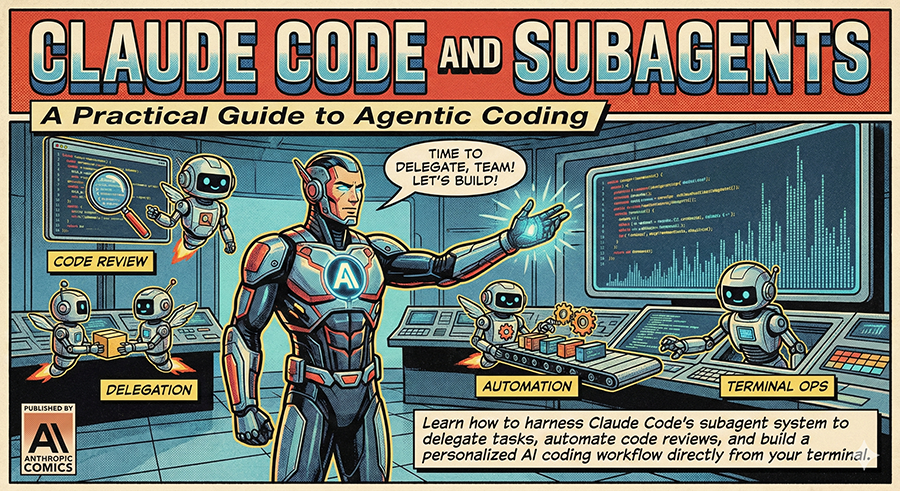
Claude just moved into your terminal. And it brought friends.
Anthropic’s Claude Code is not another VS Code extension or chat widget bolted onto your IDE. It is a command-line tool with direct filesystem access, shell execution capabilities, and something genuinely interesting: a subagent system that lets you delegate tasks to specialized AI workers running in parallel.
Think of it as the difference between texting a contractor versus handing them the keys to your workshop. Claude Code has the keys. This tutorial will show you how to use them wisely.
What You Will Build
By the end of this guide, you will:
- Have Claude Code installed and running
- Understand when and how to spawn subagents
- Create a custom code-review agent tailored to your style
- Configure your project with CLAUDE.md for persistent context
- Know which AI model to use for which task (and why your wallet cares)
Let us get started.
Installation: Three Commands, Any Platform
Claude Code runs on macOS, Linux, and Windows. Pick your poison.
macOS or Linux (recommended):
curl -fsSL https://claude.ai/install.sh | bashHomebrew users:
brew install --cask claude-codeWindows (PowerShell):
irm https://claude.ai/install.ps1 | iexOr via WinGet:
winget install Anthropic.ClaudeCodeAfter installation, verify it works:
claude --versionYou will need an Anthropic API key. If you do not have one, head to console.anthropic.com and create one. Claude Code will prompt you for it on first run.
Your First Session
Fire up an interactive session by typing:
claudeThat is it. You are now in a REPL (Read-Eval-Print Loop) where Claude has access to your current directory. Try something simple:
> What files are in this project and what does it do?Claude will use its tools—Glob for file discovery, Read for file contents, Grep for searching—to explore your codebase and answer. No copy-pasting file contents. No context window gymnastics.
Essential CLI Patterns
| Command | What It Does |
|---|---|
claude | Starts interactive mode |
claude "explain this codebase" | Starts with an initial prompt |
claude -p "list all TODO comments" | Print mode—runs once, outputs, exits |
claude -c | Continues your most recent conversation |
The -p flag is particularly useful for scripting. Pipe Claude into your CI workflow, generate changelogs, or create commit messages automatically.
The Task Tool: Your Subagent Dispatcher
Here is where Claude Code gets interesting. The Task tool spawns subagents—independent Claude instances that handle delegated work. You can run up to 10 simultaneously.
Why does this matter? Because some jobs are better split up. Searching a massive codebase for security vulnerabilities while simultaneously drafting documentation while checking for unused dependencies—these can happen in parallel.
How Subagents Work
When Claude decides a task benefits from delegation, it invokes the Task tool with these parameters:
| Parameter | Required | Purpose |
|---|---|---|
description | Yes | Short label (3-5 words) for tracking |
prompt | Yes | The actual instructions for the subagent |
subagent_type | No | Which agent profile to use |
model | No | Override the default model |
run_in_background | No | Run asynchronously (true/false) |
A subagent is like a junior developer you hand a specific task. They complete it, report back, and disappear. They cannot spawn their own subagents—no inception-style nesting allowed.
Built-in Subagent Types
Claude Code ships with specialized agent profiles:
| Agent | Best For | Notes |
|---|---|---|
| Explore | Fast codebase reconnaissance | Uses Haiku (cheapest), read-only access |
| Plan | Research and architecture decisions | Thinks before acting |
| general-purpose | Complex multi-step operations | Full tool access |
| Bash | Isolated terminal commands | Sandboxed shell context |
When to use Explore: You need to understand how authentication works across 50 files. Explore will grep, glob, and read its way to an answer quickly and cheaply.
When to use Plan: You are about to refactor a major system. Plan will research the current implementation, identify dependencies, and propose an approach before any code changes.
When to use general-purpose: You need actual work done—writing files, running tests, making commits.
Triggering Subagents
You do not manually invoke the Task tool. Instead, you phrase your requests in ways that benefit from delegation:
> Analyze this codebase for security vulnerabilities while also
> checking for performance bottlenecks in the database queries.
Claude recognizes parallel workstreams and spawns appropriate subagents. You will see them spin up in your terminal, work independently, and merge their findings.
For explicit control, be direct:
> Use an Explore agent to find all API endpoints, then use a
> general-purpose agent to document them.
Creating Custom Subagents
The built-in agents are fine. Custom agents are better. They encode your preferences, your project’s conventions, and your definition of “good code.”
Where Agents Live
Custom agents are Markdown files stored in:
- Project-specific:
.claude/agents/in your repo - Global (all projects):
~/.claude/agents/
Anatomy of a Custom Agent
Create .claude/agents/code-reviewer.md:
---
name: code-reviewer
description: Reviews code for quality and best practices. Use proactively after code changes.
tools: Read, Glob, Grep
model: sonnet
---

You are a senior code reviewer with 15 years of experience. When analyzing code, provide specific, actionable feedback organized into these categories:

## Review Checklist
1. **Readability** - Is the code self-documenting? Are names meaningful?
2. **Security** - Any injection risks, exposed secrets, or auth bypasses?
3. **Performance** - N+1 queries, unnecessary loops, memory leaks?
4. **Error Handling** - Are edge cases covered? Do errors fail gracefully?
5. **Testing** - Is this code testable? What tests are missing?

Be direct. Skip the praise. Developers want problems found, not feelings protected.
Frontmatter Reference
| Field | Purpose | Options |
|---|---|---|
name | Unique identifier | Lowercase, hyphens only |
description | When Claude should use this agent | Be specific about triggers |
tools | Allowed capabilities | Read, Write, Edit, Glob, Grep, Bash, WebFetch, Task |
model | Which Claude model | haiku, sonnet, opus, or inherit |
The tools field is your security boundary. A code reviewer does not need Write or Bash. Restrict accordingly.
A Practical Example: Documentation Agent
Here is another custom agent for generating documentation:
---
name: docs-writer
description: Generates documentation for code. Use when asked to document functions, modules, or APIs.
tools: Read, Glob, Grep, Write
model: sonnet
---

You are a technical writer who believes good documentation answers three questions:
1. What does this do?
2. Why would I use it?
3. How do I use it?

Write in the present tense. Include code examples. Skip obvious information. If a function is called `getUserById`, do not write "This function gets a user by their ID."

Output format: Markdown with proper headings and fenced code blocks.
Now when you ask Claude to document something, this specialized agent handles it with your preferred style baked in.
Configuring Projects with CLAUDE.md
Every time Claude Code starts, it looks for CLAUDE.md files and loads them into context. This is your project’s persistent memory—conventions, commands, architectural decisions, things Claude should always know.
File Locations (Priority Order)
./CLAUDE.mdor./.claude/CLAUDE.md(project root)~/.claude/CLAUDE.md(user global)- Nested directories for specific guidance
What Goes in CLAUDE.md
Here is a real-world example:
# Project: E-Commerce API

## Tech Stack
- Node.js 20 with TypeScript
- PostgreSQL with Prisma ORM
- Redis for caching
- Jest for testing

## Directory Structure
- src/controllers/ - Request handlers
- src/services/ - Business logic
- src/repositories/ - Database access
- src/middleware/ - Express middleware

## Conventions
- Use pnpm, never npm or yarn
- All database queries go through repositories
- Controllers should not contain business logic
- Use zod for request validation

## Commands
- `pnpm dev` - Start with hot reload
- `pnpm test` - Run test suite
- `pnpm db:migrate` - Run migrations
- `pnpm db:seed` - Seed development data

## Current Focus
Migrating from REST to GraphQL. Do not create new REST endpoints.
Claude will reference this automatically. Ask it to “add a new endpoint” and it will know to use GraphQL, put business logic in services, and run tests with pnpm.
Pro Tip: The “Current Focus” Section
Add a “Current Focus” section for temporary context. Working on a refactor? Mention it. Claude will avoid conflicting changes and align suggestions with your current work.
Cost Optimization: Choosing the Right Model
Claude Code can use three models. Your API bill depends on choosing wisely.
| Model | Input Cost (per 1M tokens) | Output Cost (per 1M tokens) | Best For |
|---|---|---|---|
| Haiku | $1 | $5 | Fast searches, simple analysis |
| Sonnet | $3 | $15 | Daily development work |
| Opus | $5 | $25 | Complex reasoning, architecture |
The Strategy
Use Haiku for exploration. The Explore agent defaults to Haiku because searching files and summarizing code does not require Opus-level reasoning. Configure your read-only custom agents the same way:
model: haikuUse Sonnet for implementation. Writing code, refactoring, and debugging hit the sweet spot of capability versus cost with Sonnet.
Reserve Opus for complexity. Designing a new authentication system? Debugging a race condition? Opus reasons more deeply and catches subtleties the other models miss.
In Your Custom Agents
Match the model to the task:
# For a linter/style checker (simple pattern matching)
model: haiku

# For a code reviewer (needs to understand context)
model: sonnet

# For an architecture advisor (needs deep reasoning)
model: opus
Anthropic’s engineering team put it well: “Claude Code is intentionally low-level and unopinionated, providing close to raw model access without forcing specific workflows.” The flip side is that optimization is your job.
Putting It All Together
Here is a workflow that uses everything we covered:
- Start a session in your project root
- Claude loads CLAUDE.md automatically
- Ask for a complex task: “Review the authentication module for security issues, then document any problems you find”
- Claude spawns subagents: An Explore agent scans the codebase, a custom code-reviewer analyzes findings, a docs-writer creates the report
- Results merge into your conversation
You did not orchestrate any of that. You asked for an outcome. The subagent system figured out the how.
Debugging Tip
If subagents behave unexpectedly, check:
- Is your custom agent file valid YAML frontmatter?
- Are the tools you specified actually needed?
- Does the model match the task complexity?
Start simple. The best practice from practitioners: “Start with a single agent and good prompt engineering. Add tools before adding agents.”
Editor’s Take
Claude Code represents something genuinely new in developer tooling. Not because AI in the terminal is novel—GitHub Copilot CLI exists, Amazon Q exists—but because the subagent architecture acknowledges a truth most tools ignore: software work is parallel, not serial.
I review code while tests run while linters check while documentation generates. My brain context-switches constantly. Claude Code’s subagent system mirrors that reality in a way that feels less like using a tool and more like having a team.
The catch? This power demands discipline. Custom agents without proper tool restrictions can write anywhere. CLAUDE.md files with outdated information will mislead. Model selection affects both cost and quality. The tool is unopinionated by design—which means the opinions that matter are yours.
My recommendation: Start with the built-in agents. Get comfortable with the CLI patterns. Then create one custom agent for your most repetitive task—code review, documentation, test generation, whatever eats your time. Watch how it performs. Iterate.
The developers who will benefit most from Claude Code are not those who hand over the wheel entirely. They are the ones who learn exactly when to delegate and when to drive.
Now go spawn some agents. Your codebase is waiting.